
Internet Speed Test
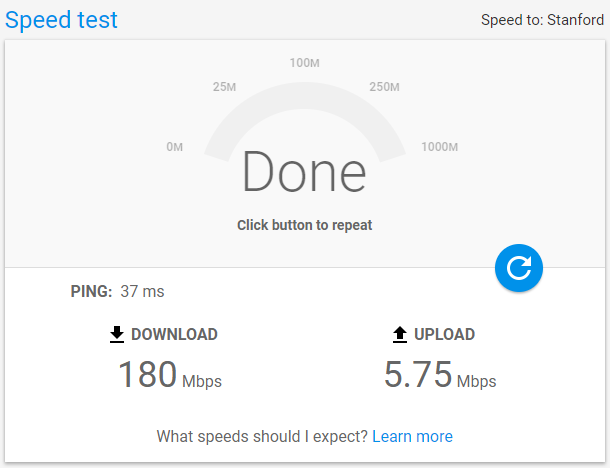
An Internet Speed Test lets you quickly measure how fast your WiFi or broadband is performing in real time. By running a Internet Speed Test, you’ll know your download and upload speed, ping, jitter, and overall bandwidth. These results show whether you’re actually receiving the speed promised by your internet service provider (ISP).
Key Metrics in a Speed Test
Download Speed
Download speed shows how quickly your connection can receive data from the internet. This matters when streaming movies, loading web pages, or downloading files. It’s measured in megabits per second (Mbps) — the higher, the better.
Upload Speed
Upload speed measures how fast your device can send data to the internet. It plays a vital role in video calls, online gaming, file sharing, and live streaming. Like download speed, it’s also measured in Mbps.
Ping (Latency)
Ping measures how fast your device gets a response after sending a request to a server. A lower ping means less delay, which is crucial for online games and video conferencing. Ping is measured in milliseconds (ms).
Jitter
Jitter reflects the variation in response times. High jitter means your connection is unstable, often causing video buffering, lag in games, or poor call quality. A lower jitter score is always better.
How to Get More Accurate Test Results
For reliable results, plug your device directly into the modem or router using an Ethernet cable instead of WiFi. Also, close background apps that may be using bandwidth.
- Stay close to the router: The nearer you are, the stronger the signal. Ideally, keep your device within 100 feet of your WiFi router.
- Switch to 5 GHz WiFi: Unlike 2.4 GHz, which is often crowded with other household devices, the 5 GHz band gives faster, more stable connections.
- Limit background updates: Turn off unnecessary automatic updates running in the background that eat into your bandwidth.
- Reposition your router: Place your router in a central spot and adjust antennas if available for better coverage.
- Use a WiFi extender or booster: These devices help eliminate weak zones by strengthening your signal.
- Upgrade your internet plan: If your activities require high bandwidth (like 4K streaming or online gaming), consider moving to a higher speed plan — and ensure your router can handle it.
Frequently Asked Questions
What factors can affect my Internet Speed Test results?
Device performance, distance from the router, background apps, and server location can all impact results.
Why does the server location matter?
Selecting a closer test server gives more accurate results. Farther servers may increase latency.
Why is my speed lower than advertised?
Many ISPs mention speeds as “up to.” Actual performance depends on network congestion, your equipment, and peak usage times.
What is a good ping for gaming?
A ping under 50 ms is considered excellent for smooth online gaming.